
What We Shipped This Fall: Workflows, Company Pages, and Smarter Outreach
Workflows, Company Pages, Messaging Memory and Talent Assessment — what Umamy shipped this fall, and the pattern running through all four.
Recruiting teams do not lose time on the hard parts. They lose it on the small ones: checking a dashboard to see who replied, opening a browser tab to work out what a candidate's current employer actually does, remembering to ask about notice period in the first follow-up, rewriting the same shortlist rationale for the third hiring manager this week.
None of that is judgment. All of it is overhead. Everything Umamy shipped this fall targets that overhead directly.
Workflows: describe the task once, then stop thinking about it
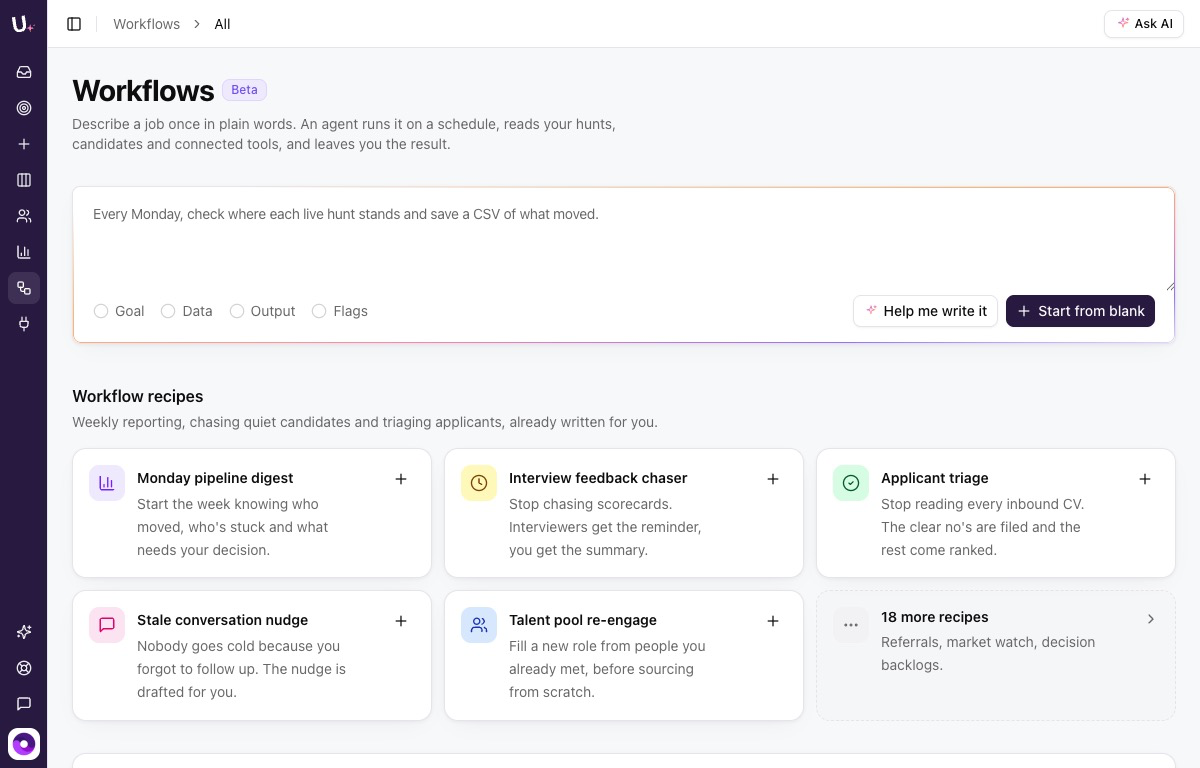
Describe a recruiting task once, in plain words. A workflow reads your hunts, your candidates and your connected tools, runs on a schedule, and delivers the result — without you having to think about it again.
You can start from a blank prompt or pick from 24 ready-made recipes: Monday pipeline digest, applicant triage, interview feedback chaser, stale conversation nudge. Connect Slack, Box, Zoom or Modjo and the workflow has everything it needs to do the job properly.
The three setups teams land on most often are a weekly sourcing run against a standing brief, a Monday pipeline digest covering who replied, who hasn't and who needs a nudge, and a Friday coverage report sent straight to the hiring manager. Work that used to require someone remembering to check a dashboard is now simply running.
That last point is the one worth sitting with. The bottleneck in most recruiting operations is not capability — it is attention. A workflow does not make anyone smarter. It removes the requirement to remember.
Company Pages: the context you were opening a tab for
Every recruiter knows the moment. You spot a strong candidate, you see their current company, and you have no idea who they are. So you open a tab, start Googling, and lose two minutes you did not have. Twenty times a day.
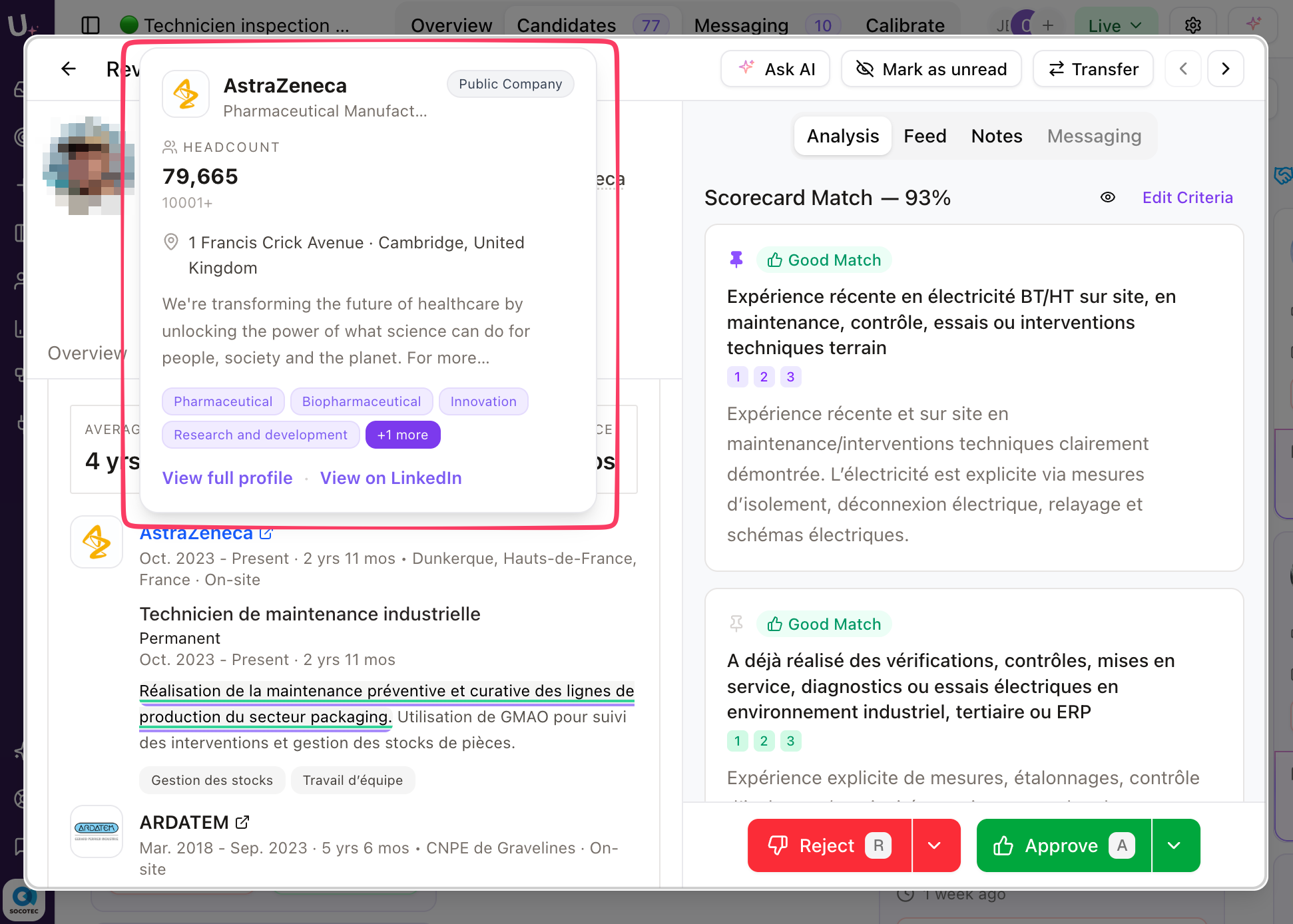
Every profile now shows a quick-look card inline — headcount, industry, funding stage — with nothing to click. If you want the full picture, one click opens the complete company page: tech stack, recent hires, and the other candidates in your pipeline who have worked there.
Teams use the card at shortlisting to spot sourcing patterns. Three strong candidates out of the same scale-up is a signal worth noticing, and it is invisible if you are reading company names one at a time. Others check it before the first message, to decide whether referencing the company directly is a good idea or a bad one.
Messaging Memory: pre-qualification that runs itself
Every team has a pre-qualification checklist it runs before getting on a call: notice period, availability, salary expectations, openness to relocation. Until now you had to add those questions to each message by hand — and remember to do it again on every new hunt.
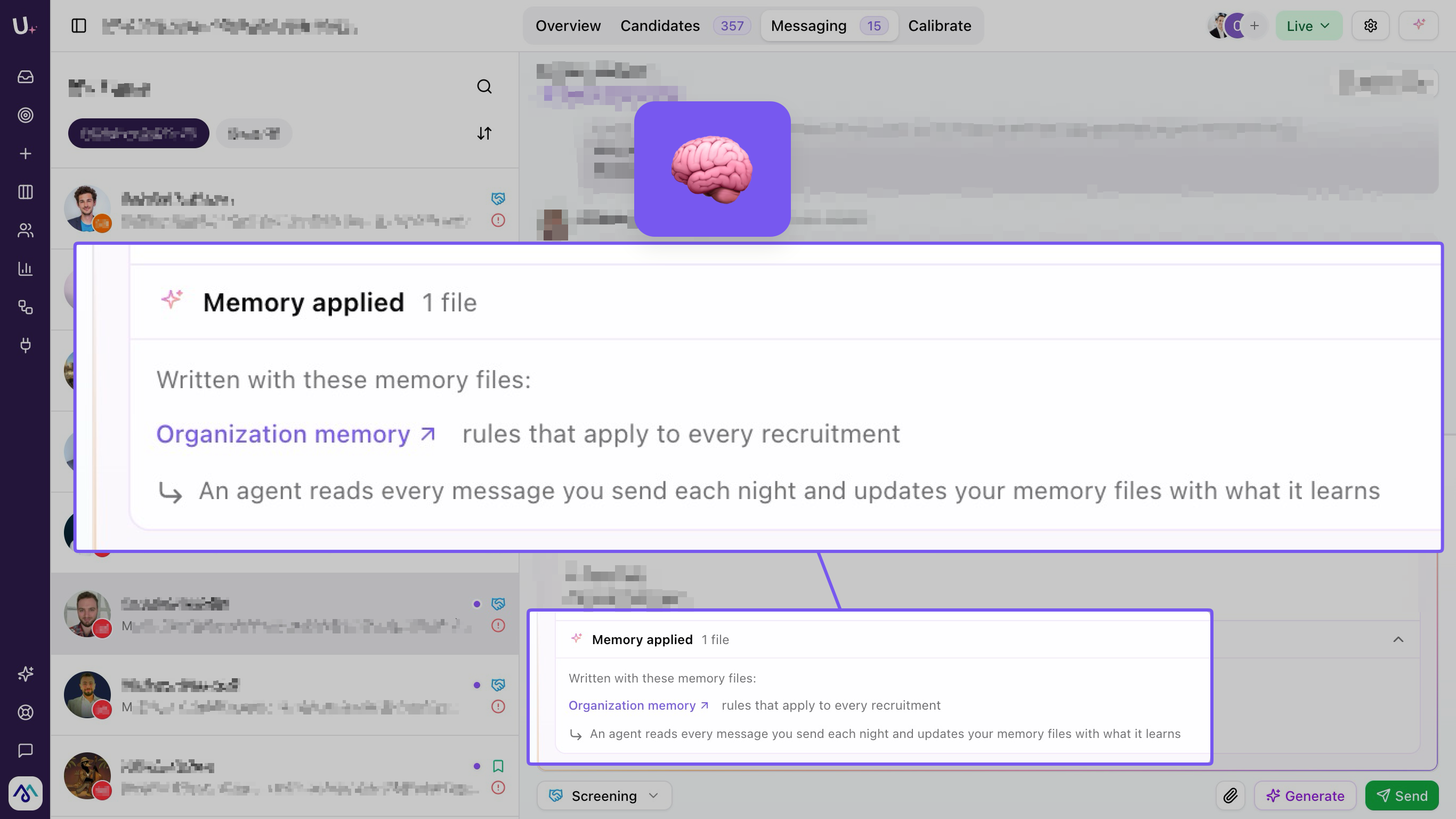
Messaging Memory changes the shape of that. Edit a message, add a question — "what's your notice period?" — and Umamy picks it up. Every draft it writes for that hunt from that point on includes it automatically. Train it once, and the pre-qualification flow runs itself.
The most common setup is training the memory to always ask about notice period and remote flexibility in the first follow-up. Both are easy to forget when you are running five hunts at once, and both cost you a week when you find out late. Teams sending from a shared account also use it to keep one consistent voice across several recruiters.
The memory is editable at any time. You can read what has been learned, correct it, or delete rules that no longer apply. It is yours — not a black box.
Talent Assessment: a ranked shortlist, not a raw list
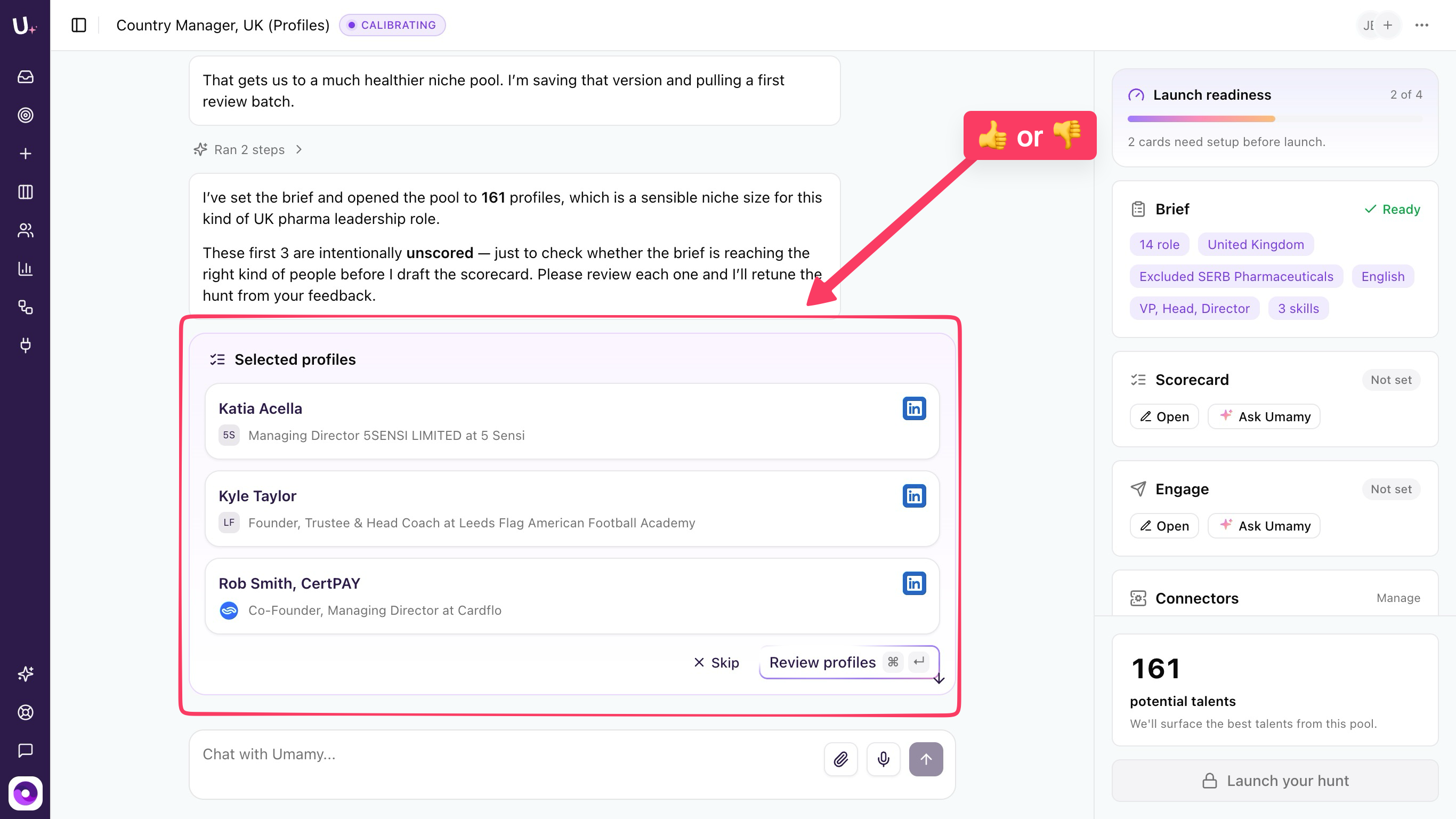
The more candidates you source, the harder it gets to evaluate them consistently and hand the hiring team a clear picture. Talent Assessment brings structure: the AI scores candidates against your brief, so you share a ranked shortlist instead of a raw list.
Less gut feeling, more signal — and considerably less time spent explaining your reasoning to a hiring manager who was not in the room.
The strongest pattern we have seen combines it with Workflows: a weekly run pulls assessment data from the ATS, scores the active pipeline, and posts a digest to a Slack channel. Hiring managers see ranked candidates every Monday morning without ever opening Umamy. The recruiter spends their time on the top profiles instead of on status updates. This is the same argument we made about structured evaluation beating unstructured judgment — applied one step earlier in the funnel.
Also shipped
- Connectors — redesigned UI, cleaner and faster.
- SSO — enterprise login is now available.
- Response time metrics — track how quickly your team replies to candidates.
- Fit Score filter — now supports both greater-than and less-than thresholds.
What's coming next
- Snooze candidates — give a warm-no its own state, set a wake-up date, and get an AI-drafted re-engagement message when the time is right. No more losing your best "not right now" candidates to the archived column.
- Mark conversations as handled — a simple status layer (Needs you / In progress / Done) so you always know what actually requires your attention.
- Your most-loved feature — we want to double down on the thing you would fight for if we removed it.
The thread running through all of it
Look at these four features together and the pattern is not "more AI". It is the removal of remembering as a job requirement. The workflow remembers to run. The company card remembers the research. The messaging memory remembers the question. The assessment remembers the criteria.
Recruiting is a judgment profession that has quietly become an administration profession. Every hour handed back is an hour that can go into the parts a machine should not be doing: deciding who is actually right for the role, and convincing them.
If you want to see how this connects to the rest of your stack, the Umamy MCP connector makes this data reachable from whichever AI assistant your team already uses.