
What We Shipped in July: Smarter Filters, Slack Alerts, and a Table View That Actually Works
Umamy's July 2026 product update: 30+ new candidate filters, Slack notifications in beta, manual candidate import via LinkedIn URLs, and a rebuilt table view for the candidates screen.
July was a heads-down month. Four updates shipped, all of them driven by things you kept telling us were missing. Here's what's live.
30+ New Candidate Filters — and a Brief Modal That Doesn't Fight You
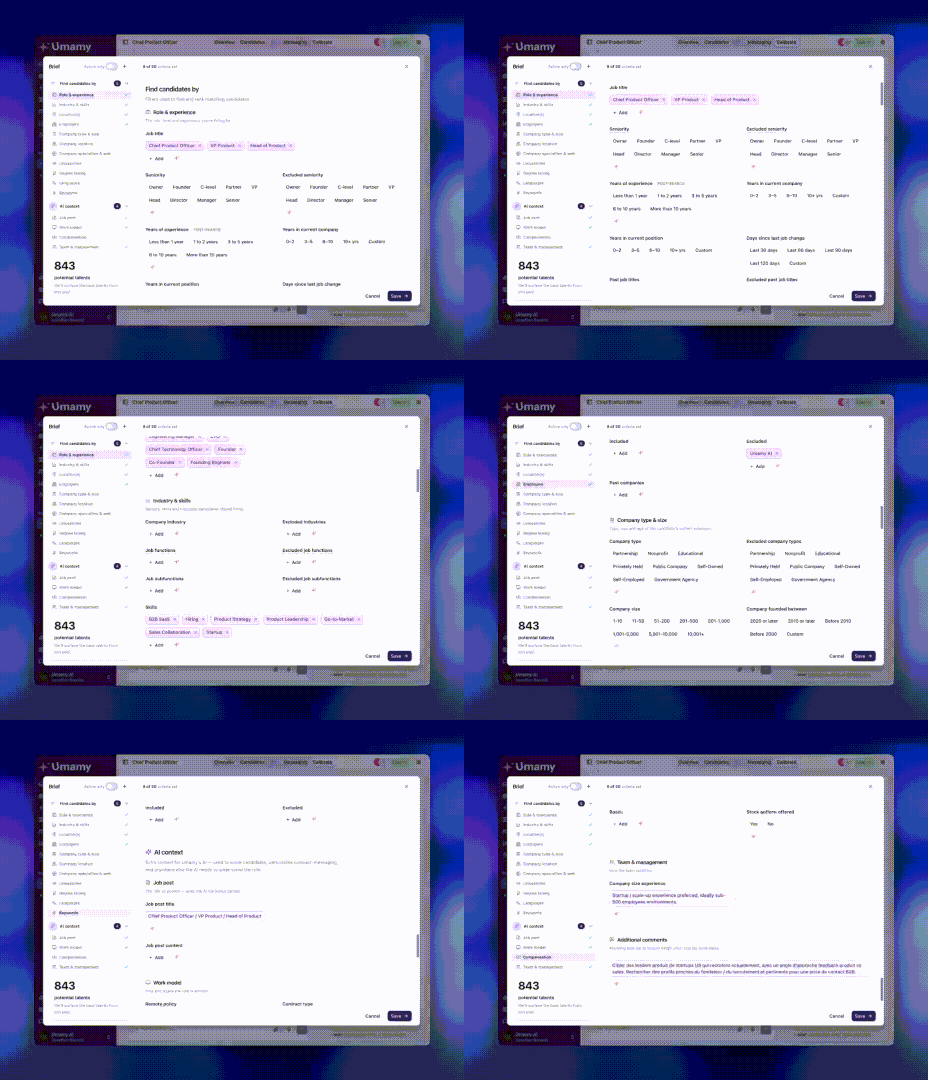
Two things at once: a substantially larger filter set, and a redesigned Brief modal that makes those filters actually usable.
New filters now include:
- Company type (startup, scale-up, enterprise, PE-backed, and more)
- Company size and founding year
- Tenure range and job functions
That's more than 30 additions in total. The AI already knows how to use all of them — you don't need to wire anything up manually.
What changed in the Brief modal:
The old layout made it hard to know where you were in the configuration. The new one uses a two-panel design: criteria on the left, filters on the right. A scroll-spy keeps your place as you move through the Brief. Everything's in one view — no more hunting through nested settings to find a single toggle.
The goal was simple: less friction between "what I want" and "what Umamy searches for."
Slack Notifications — Umamy in Your DMs (Beta)
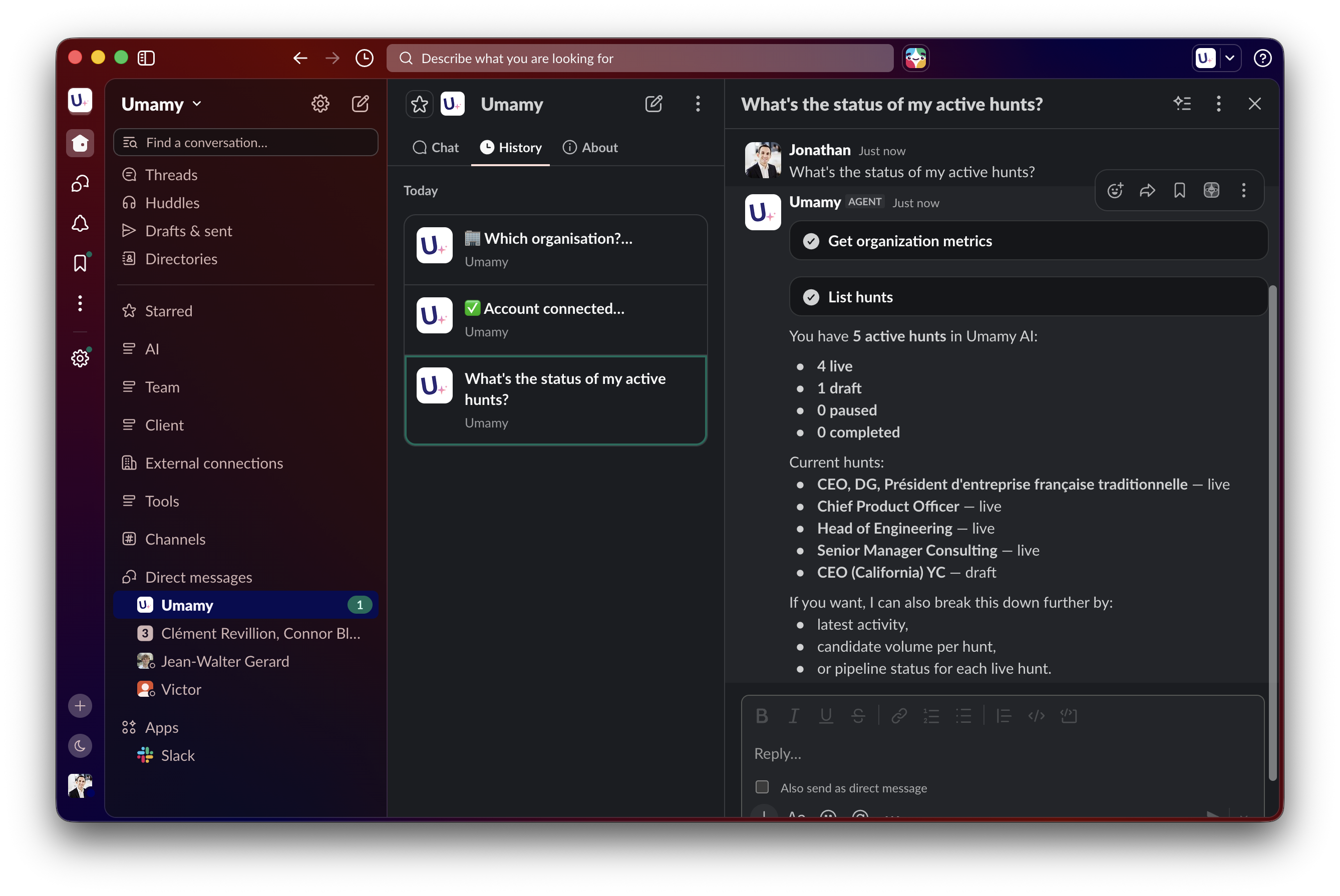
Umamy now sends alerts directly to Slack. No need to keep a browser tab open to know what's happening in your active hunts.
What you get notified about:
- New candidate recommendations, delivered straight to your DMs
- Manager responses to shortlists
- Hunt status updates as they happen
You pick what you want to hear about — the controls are granular. #Channel support is coming in a future update.
This is a beta. If you want to enable Slack notifications for your organization, reply to the newsletter or reach out directly — we'll set it up manually while we finalize the self-serve flow.
Manual Candidate Import — Paste a LinkedIn URL, Done
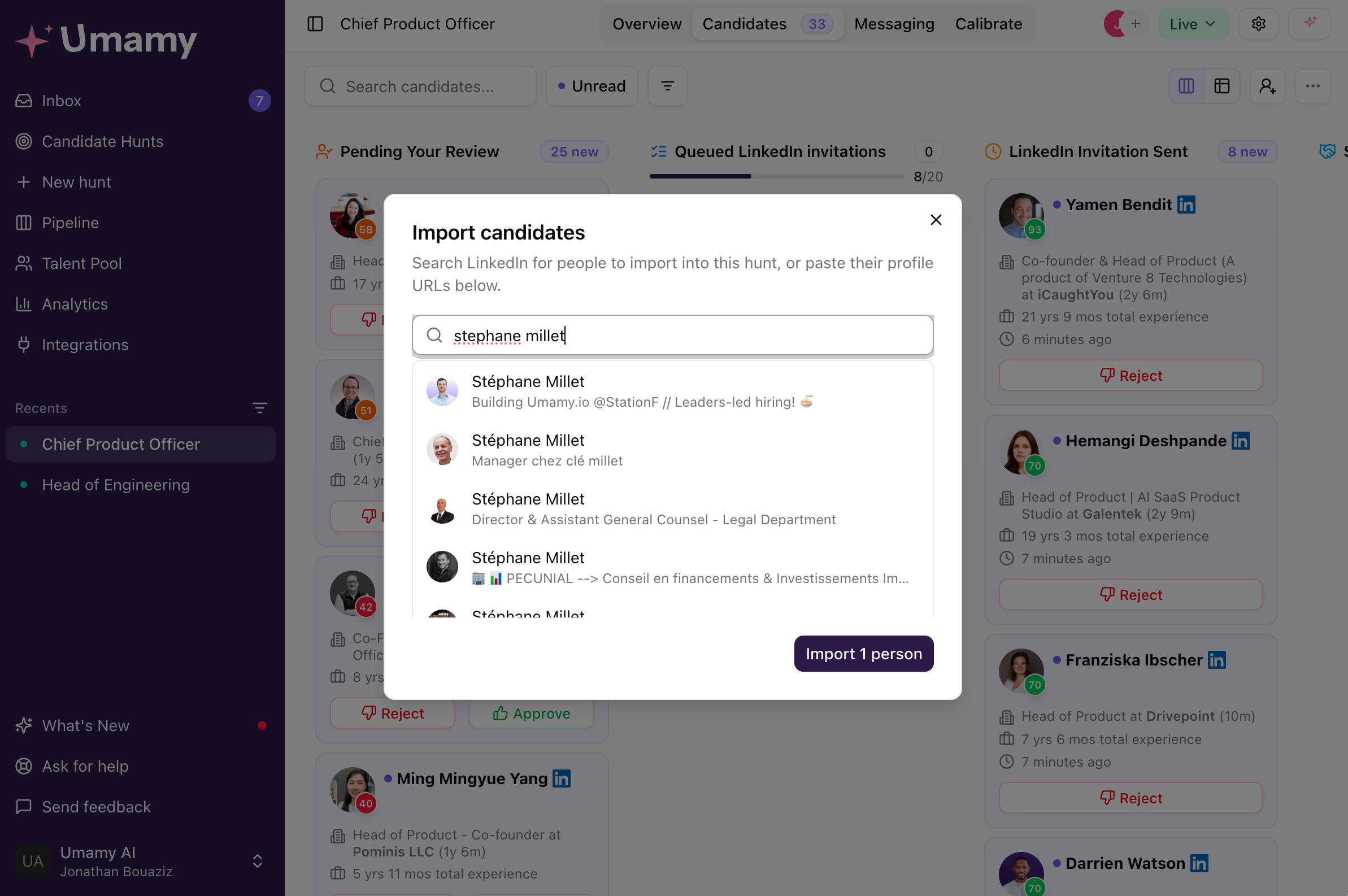
Sometimes you find someone outside the product. A LinkedIn post, a referral, a name that comes up in a meeting. Until now, getting that person into Umamy meant rebuilding a separate pipeline or just... not tracking them properly.
Now you can paste one LinkedIn URL or a full list, and they're added to any active hunt. No restrictions on which hunt, no tab-switching required.
The rationale: if you've already identified someone worth tracking, the tool should get out of your way.
New Table View — The Candidates Screen, Rebuilt
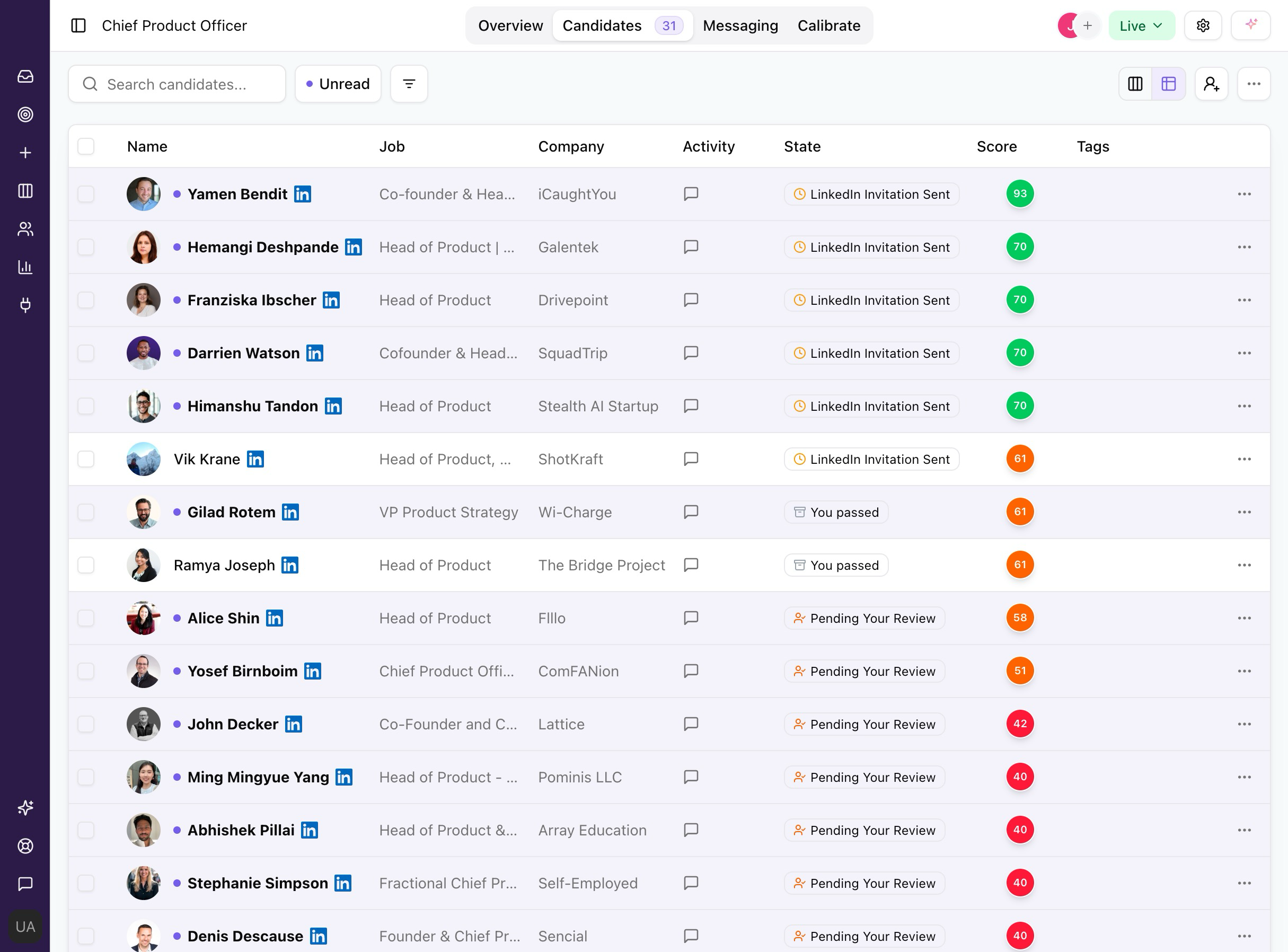
The candidates table has been rewritten from scratch. The previous version had the right information but made it harder to use than it needed to be.
What's new:
- Full feature parity with the kanban view — nothing missing
- Selectable: switch between table and kanban directly from the Candidates screen
- Clean layout designed for list-centric workflows
Not everyone thinks in cards. If you're the type who scans a list faster than a board, this is for you.
What's Coming Next
We're hosting a live webinar on September 10 at 10:30am (French 🇫🇷) — 60 minutes, free, online. We'll walk through what we've built, show it live, and take questions directly.
These four updates came directly from feedback. If you have thoughts on what we shipped, or something you want to see next, hit reply — Jonathan reads every email.