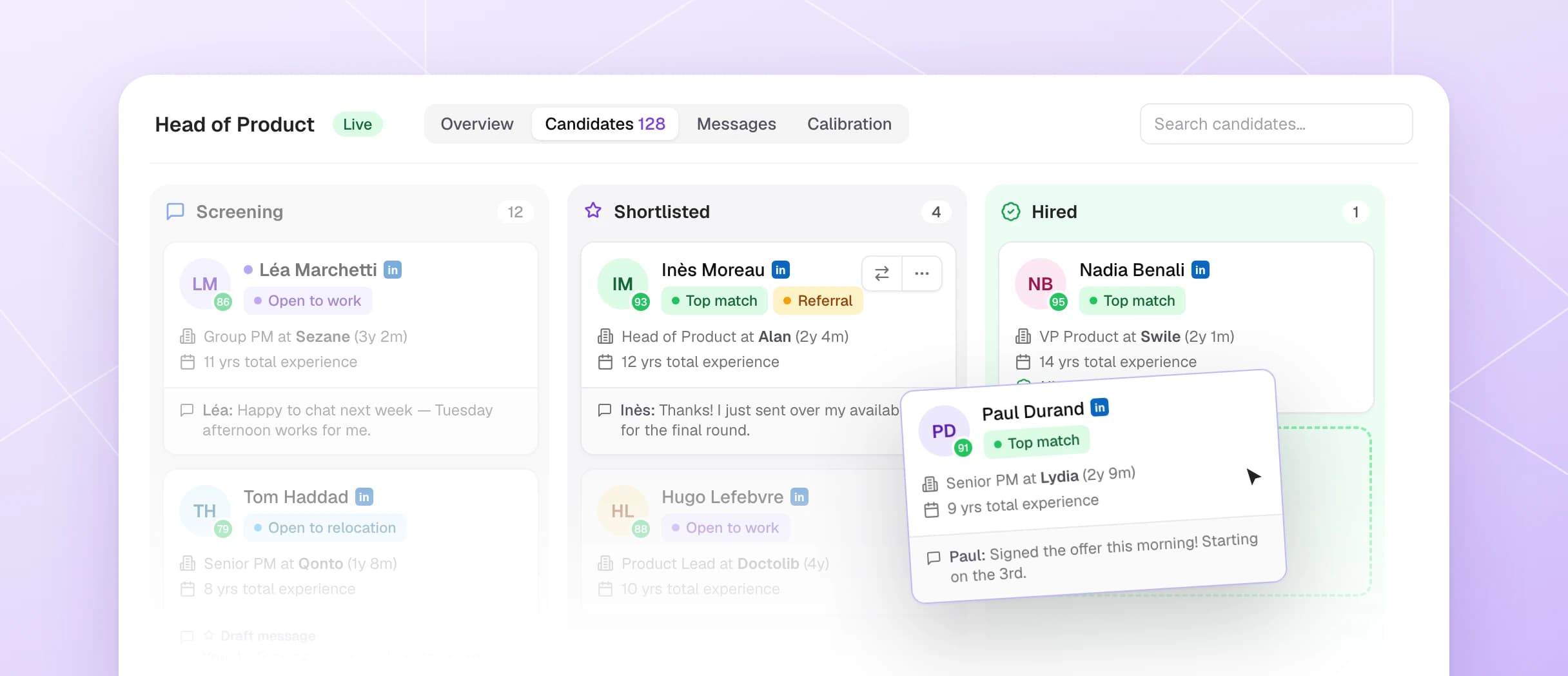
This month we redesigned how you start a hunt, put the AI assistant everywhere in the app, and built a unified inbox for your candidate recommendations. Here's what shipped.
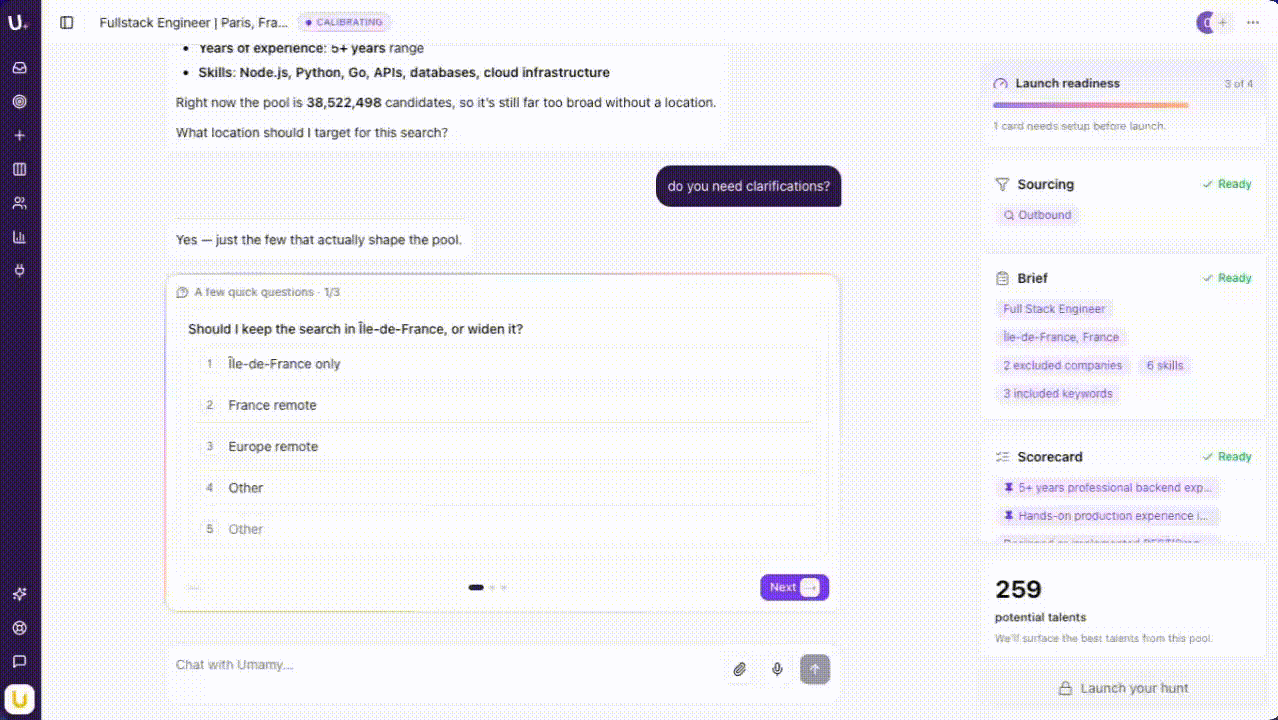
Hunt setup is now AI-first
Start from a job title, a job posting link, or a plain description. The AI fills in the profile — seniority, skills, compensation range — while you adjust in real time.
The new two-panel layout shows your conversation on the left and a live summary of your hunt config on the right. A readiness gauge tells you when the setup is solid enough to launch.
This isn't a form with AI help. It's a conversation that produces a spec. The difference matters: you end up with a more precise hunt profile in less time, because you're refining instead of filling.
Your AI assistant is now everywhere
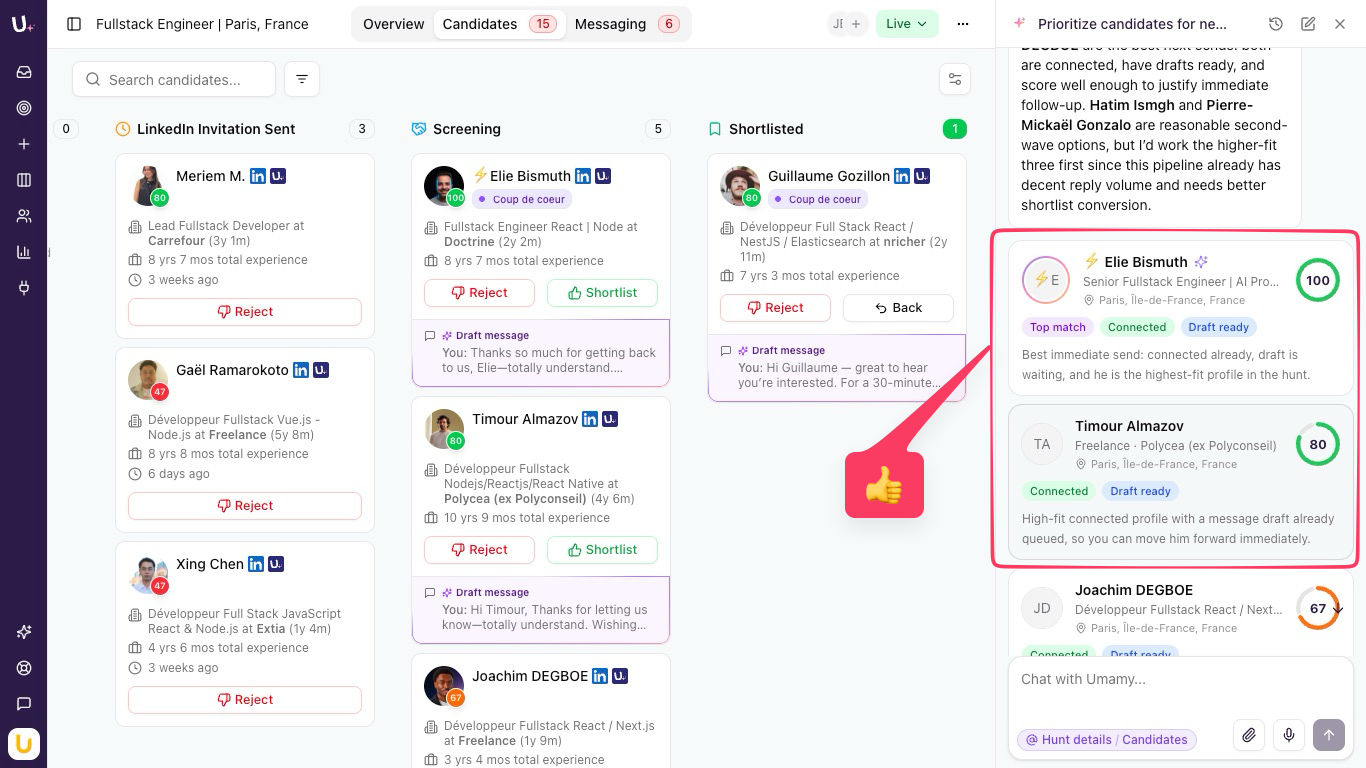
The assistant used to live only in hunt setup. Now it's available from anywhere in the app — and it has full context about your hunts, your pipeline, and your candidates.
The most useful place: the candidate review modal. You can ask how this candidate compares to others in the pipeline, what's missing vs. the criteria, or what stands out — without leaving the card. No tab switching, no copy-pasting into a chat window.
That last part is what makes it actually useful. Context-switching is where hiring decisions get lazy. Keeping the analysis inside the review flow keeps it honest.
Recommendations Inbox: one view across all your hunts
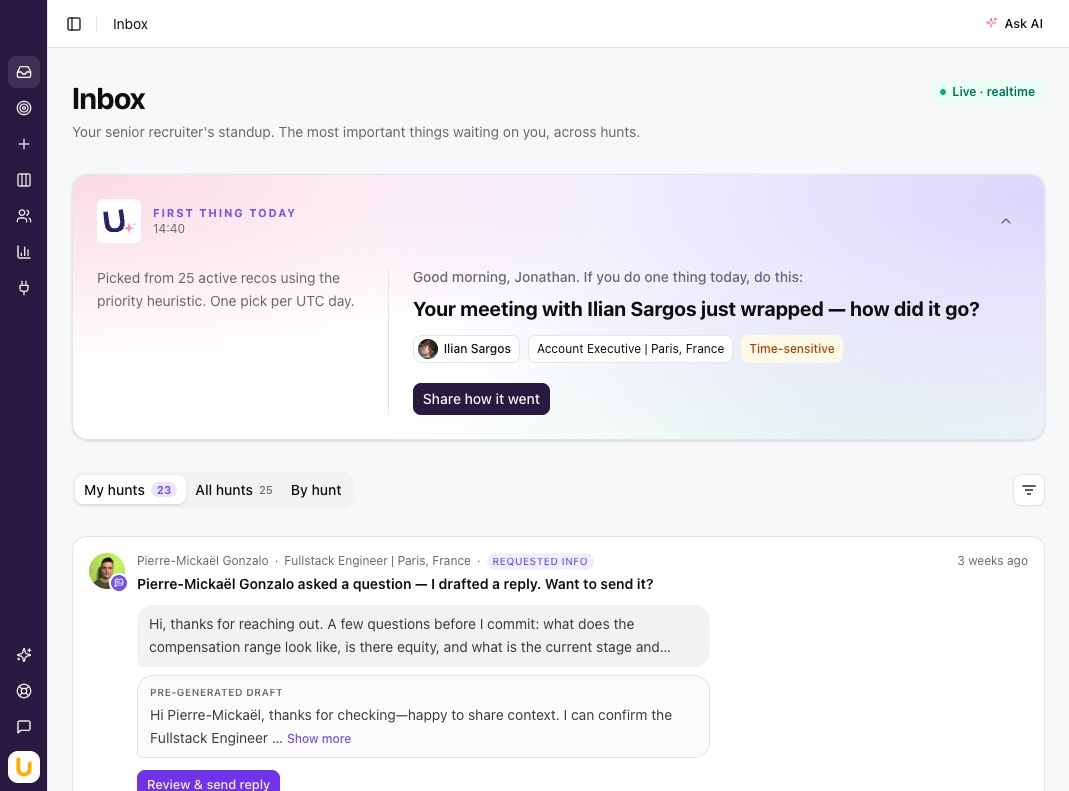
If you're running multiple searches at once, you know the problem: you have to open each hunt individually to see if anything new came in. It's fine when you have two open roles. It doesn't scale.
The Recommendations Inbox fixes this with one prioritized view across all active hunts. Highest-signal candidates surface first — scored, ranked, and ready for a decision. You see what needs your attention without having to go looking for it.
Also shipped
- Manager LinkedIn connect in 20 seconds. Connecting a manager's LinkedIn profile no longer requires creating an Umamy account. About 20 seconds now. Friction removed.
- Message candidates from the review dialog. No more bouncing to a separate messaging view to reach out after reviewing.
- Web research during hunt setup. Umamy enriches candidate profiles with web research during setup, so your criteria are grounded in what the market actually looks like.
- Auto-approve by scorecard criteria. Set mandatory criteria and Umamy will auto-approve candidates who meet them — pipeline keeps moving without manual review on clear-cut cases.
Coming soon: Umamy in Slack
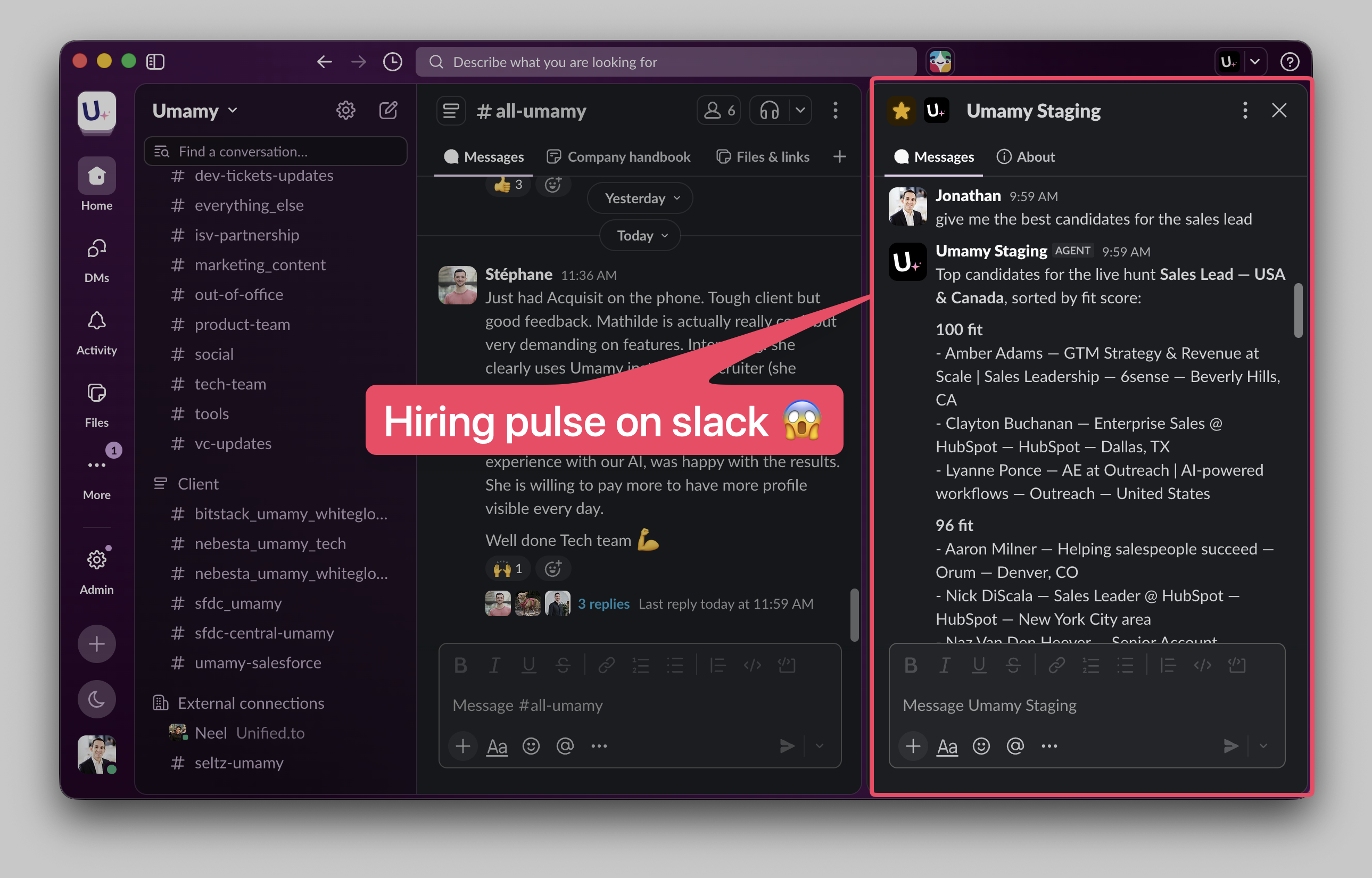
Candidate recommendations and responses, pushed directly to your Slack channels. No app-switching required. Early access is open — reply to the newsletter if you want in.