
Follow-up delays, a Hired column, and handled conversations
Umamy's October update: per-reminder follow-up delays with auto-send, a Hired column on your pipeline, conversation status, and smarter AI agent context.
Umamy's October release ships five things worth your time
Follow-up delays that actually vary per reminder. A Hired column on your pipeline. A conversation status that tells you when your inbox is genuinely clear. AI agents that now read a researched profile of your company before they source and write. And a hunt that stays in your left nav while you work. Here's what each one does and why it matters.
Follow-up delays, one per reminder
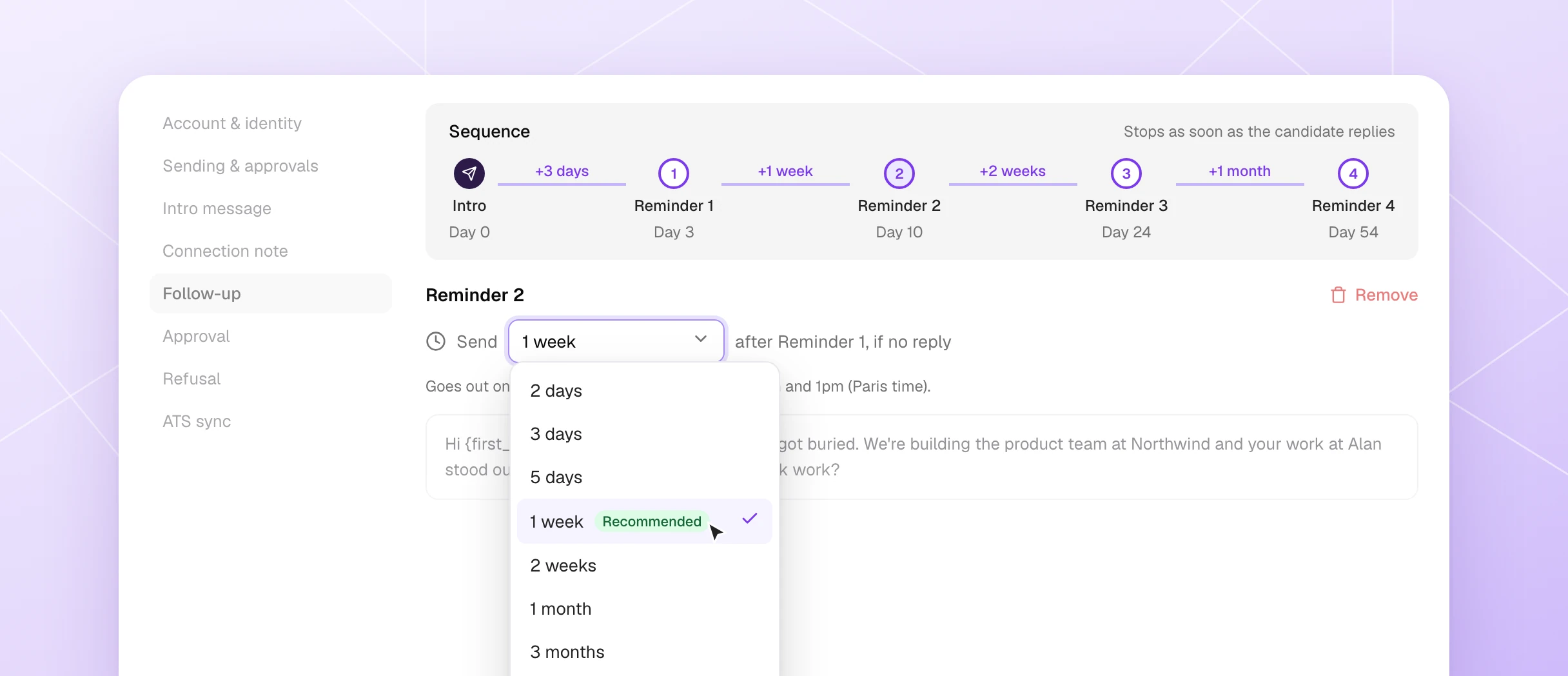
Until now every reminder in a sequence used the same gap. That's gone. Each follow-up has its own delay — you pick it in Engage → Follow-up, where each reminder reads: Send delay after the intro message, if no reply. Presets run from 2 days to 3 months (one is marked Recommended), or you can set a custom value up to a year.
A Sequence strip shows the day each reminder goes out. The sequence stops the moment the candidate replies. Deleted a reminder by mistake? There's an Undo right there.
New in Sending and approvals: toggle on auto-send for both the first message and follow-ups, and switch to approve-only mode for replies. The whole sequence runs by itself; you step in when someone writes back.
The practical pattern teams land on: a short nudge after 3 days, then wider gaps — a week, two weeks, a month. No one gets chased every other day, and with auto-send on, you're not managing each send manually.
Drag and drop, and a Hired column
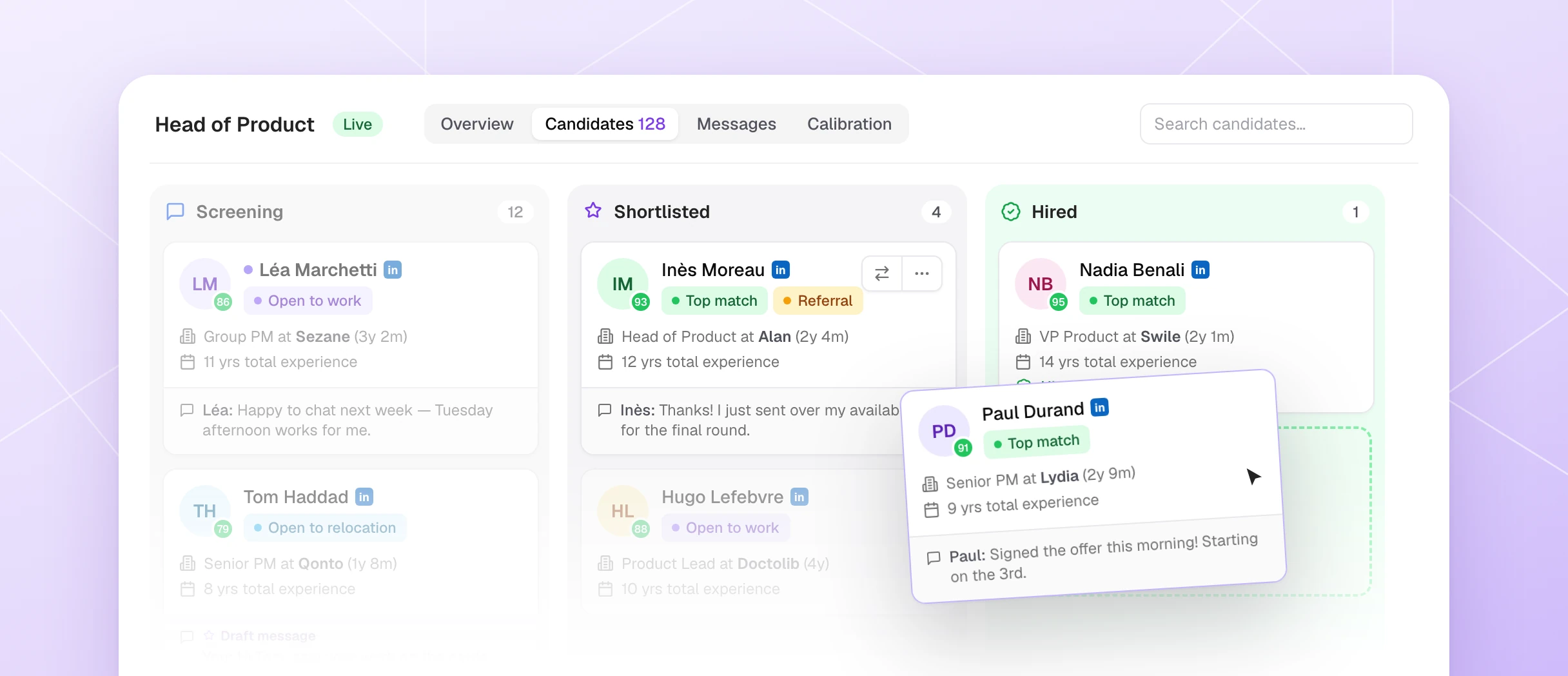
You can now drag a candidate card to any column. The board enforces the rules — it only lets you drop where the move is allowed. Each card also has a Move to button that lists the stages it can reach, with an explainer when one is locked.
A new Hired column sits after Shortlisted. Mark someone as hired, pick the hire date, add an optional note, and you have 5 seconds to Undo. Hires now show up in Analytics.
You can also record the salary and package at that point — optional, visible to workspace admins only.
Mark conversations as handled
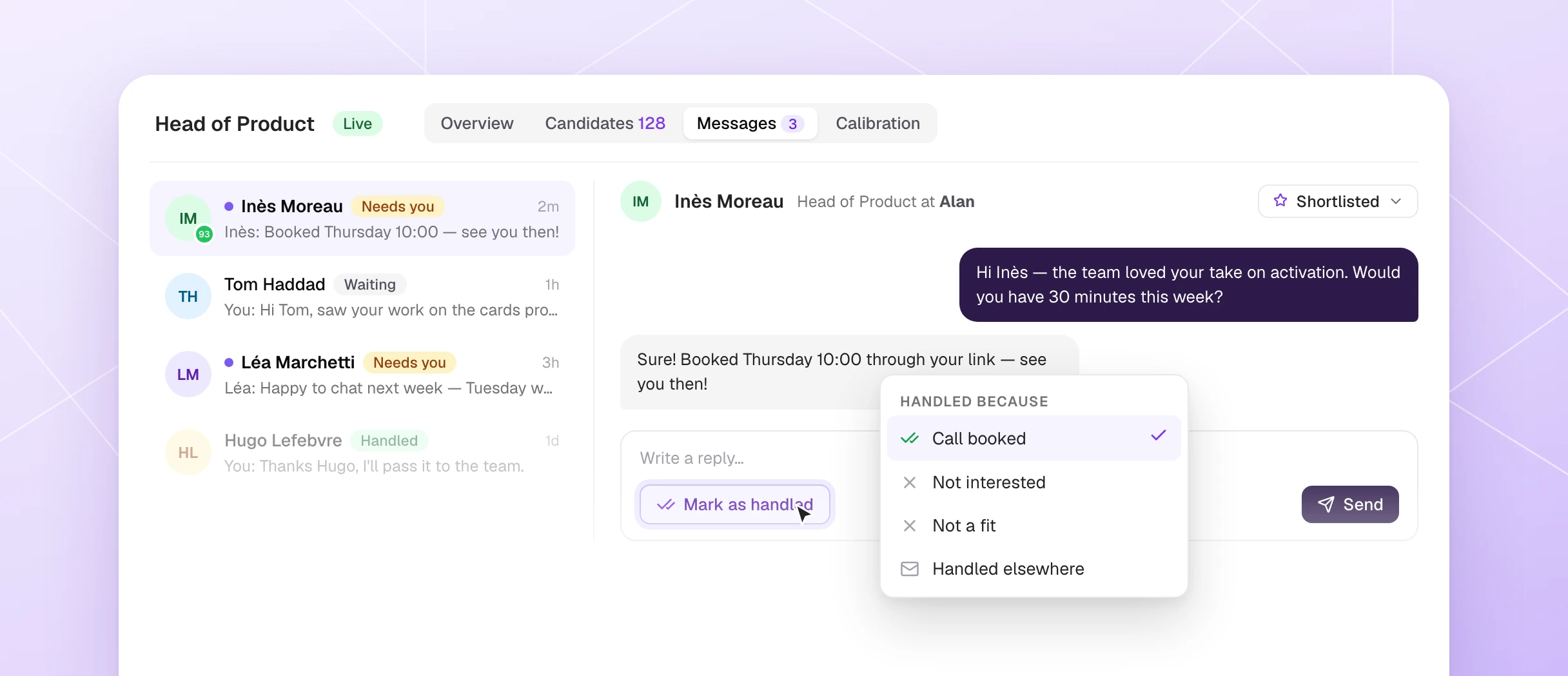
Every conversation now carries a status: Needs you, Waiting, or Handled. When there's nothing left to do with someone, mark it handled — with an optional reason — and it leaves your to-do list. It reopens automatically if the candidate writes back.
You can do it from Messaging, from the Send and... menu, or straight from the candidate review dialog. Messaging also sorts by last message received by default now, and previews the last message actually exchanged rather than the AI draft.
The flow that makes this click: once a call is booked, mark the conversation handled with the reason Call booked. Your to-do list shows only what genuinely needs your attention — not the 40 threads where you're just waiting.
Company Info: researched for you, read by your agents
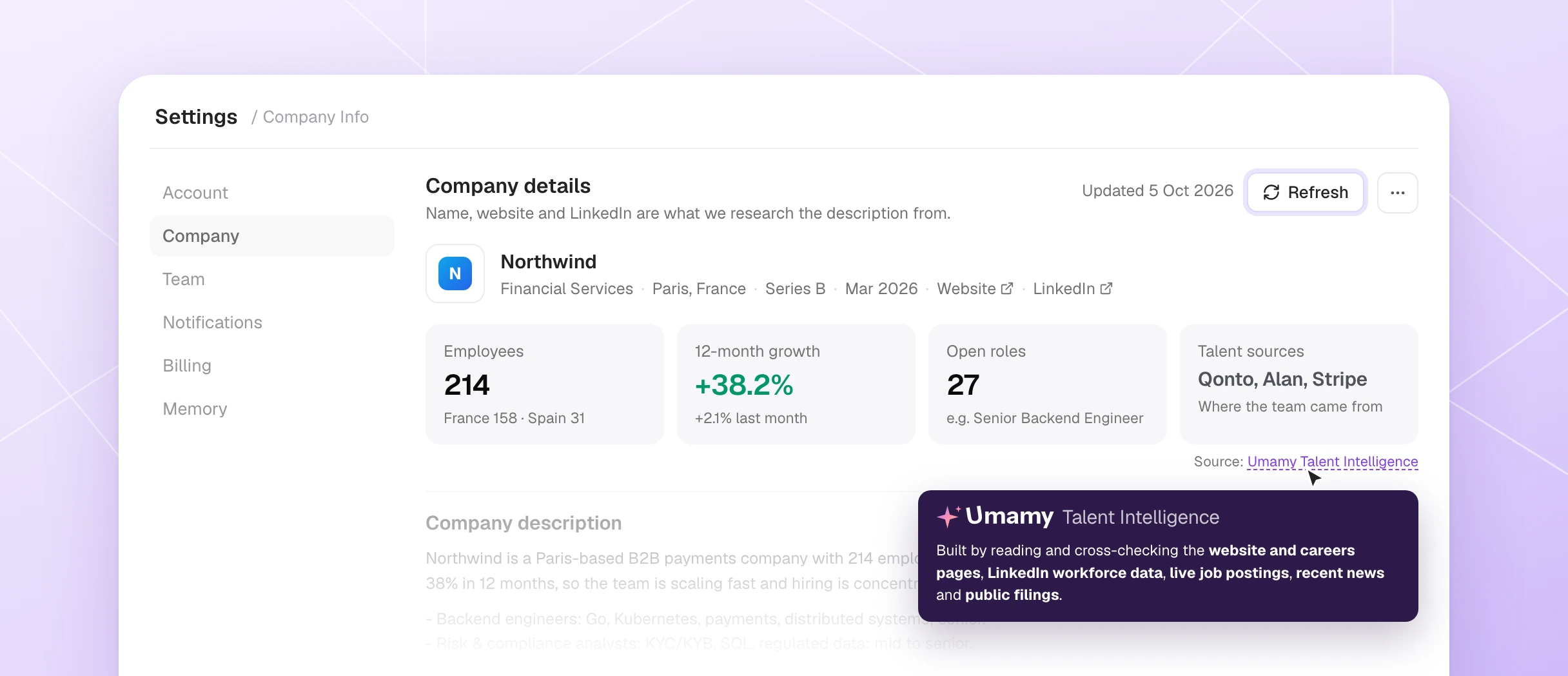
Settings → Company Info now builds the profile your agents read before they source candidates, score profiles, and write outreach. Check your company name, website, and LinkedIn page, then hit Refresh — Umamy researches the rest.
What gets filled in: what you sell and to whom, where you're hiring, the profiles that fit, where strong candidates tend to come from, and your culture. It takes a couple of minutes and keeps running in the background if you navigate away.
The page now shows live stats: your headcount, 12-month growth, open roles, and talent sources. It's the same context your agents were missing when they sourced without knowing the company.
Your hunt, always in the left nav
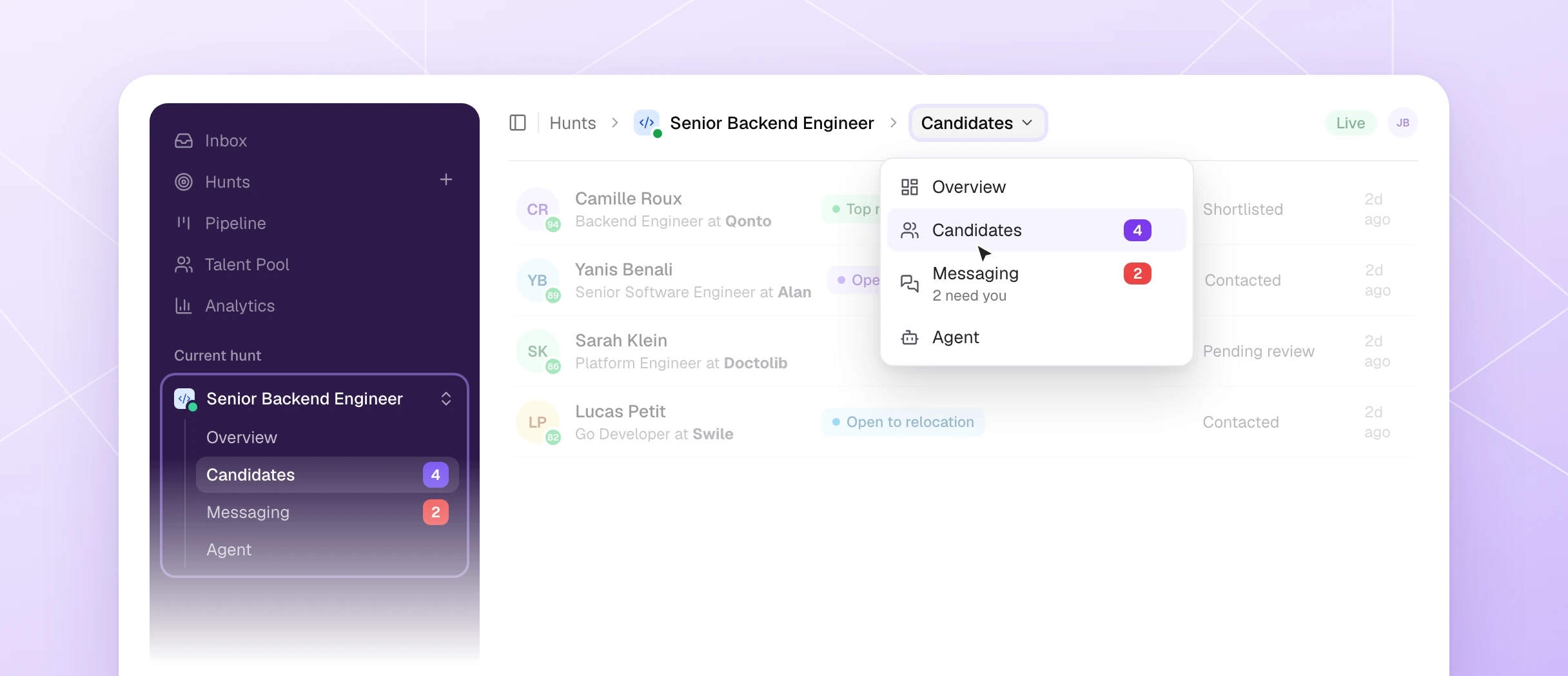
The hunt you're working on now lives in the left nav with its tabs and their counts. It stays there when you switch to Inbox or Pipeline. Click the hunt name to switch, search, or open a recent one.
Every hunt also has an icon now — we assigned one to each of your existing hunts, and you can change it with a single click. When you're running several similar hunts at once, the icons make it obvious which is which.
Also shipped
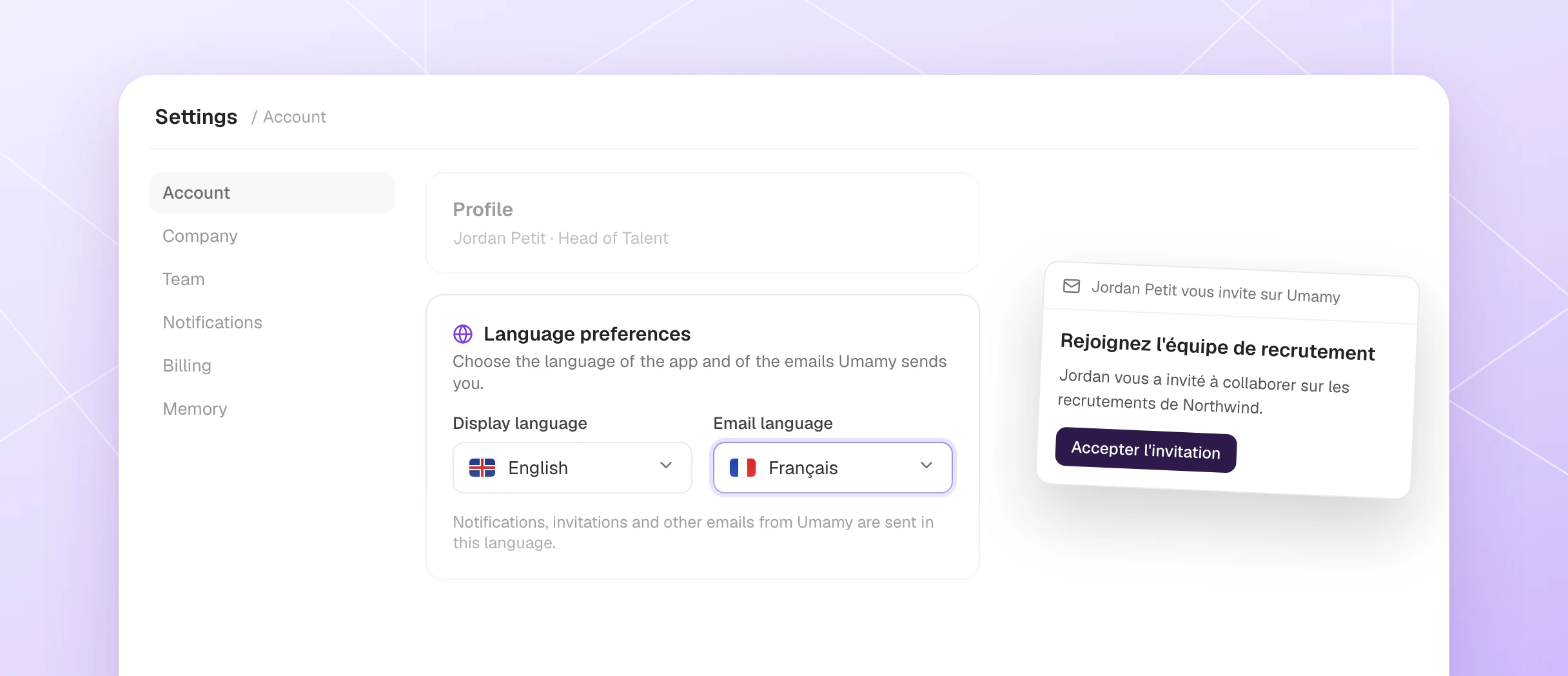
- Emails in your language — set your email language in Settings → Account; invitations and LinkedIn connect links follow it.
- Exclude tags — the Tags filter now has an Include / Exclude switch and a No tags option.
- Invite several teammates at once — one row per person, each with its own email and role.
- What's new window — after each release, see what changed in one place.
- File attachments in agent chats — drop a file in hunt setup or the assistant and the agent reads it.
- No duplicate connection requests — candidates already in your 1st-degree connections are no longer sent a connection request on promotion from assessment.
What's coming next
- Snooze candidates — a proper not-now state with a wake-up date and a re-engagement draft when the time comes.
- Signals on every profile — the key facts surfaced at a glance, not buried in tags.
Every reply to the newsletter shapes what gets built. If there's something you'd fight to keep, or something that's been bugging you, Jonathan reads them all.
For a full tour of the AI hiring platform and how these features fit together, the Umamy MCP integration page has the details.